
Volume Booster - Bass Booster
KennyMediaPersonalization
4.5375.00 Reviews
- Version
- 11.3
- Installs
- 100.00K
- Age Rating
- Everyone
Screenshots
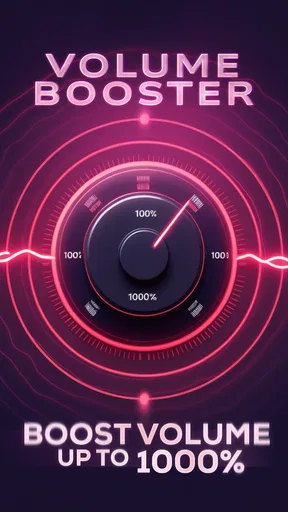
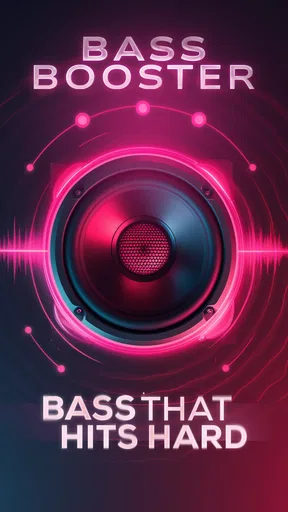
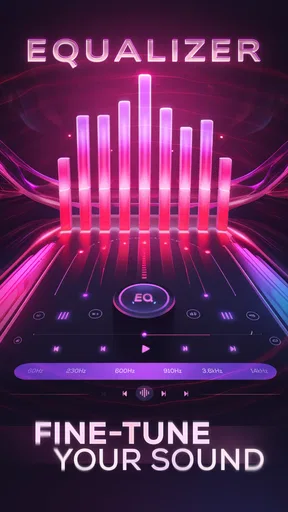
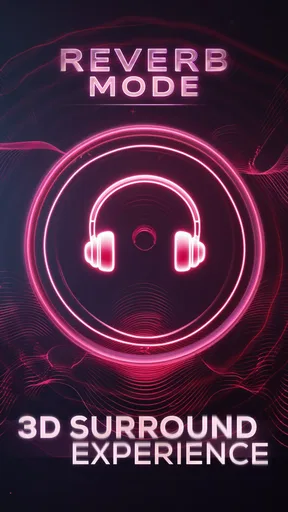
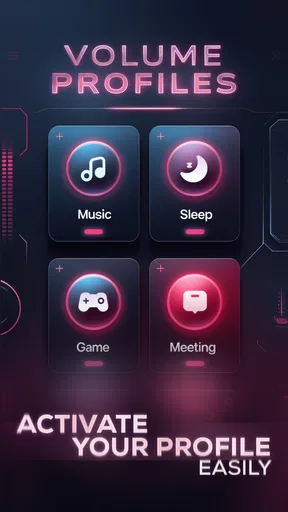
Our Review of Volume Booster - Bass Booster
 Analysis by Appyee
I came away from Volume Booster - Bass Booster with a fairly clear impression: it is a practical sound-tuning tool for Android users who want more control over headphone audio without replacing their music player. It combines volume boosting with an equalizer, bass adjustment, reverb, and a sound-assistant approach, so its appeal is less about playing content and more about changing how that content feels through connected headphones.
That distinction matters. I would not describe it as a complete audio studio or a substitute for well-recorded music, a good pair of headphones, or careful system settings. I see it as a convenient layer between the phone and the listener. When the default output feels thin, quiet, or lacking in warmth, the app gives me several ways to shape it. When I only need a clean, predictable signal, however, I would rather avoid excessive processing.
What the app does well in everyday listening
The most useful part of the experience is the combination of controls. A simple volume booster can make audio louder, but loudness alone does not solve every listening problem. The equalizer lets me approach the sound from another direction, while bass and reverb controls change the character of the output. In practice, that means I can try a modest volume increase first, then make a small tonal adjustment instead of pushing every control to its limit.
I found that approach more sensible than immediately turning everything up. If spoken audio sounds distant, extra bass is usually the wrong answer. If music feels weak, a slight low-end lift may be more pleasant than a large volume jump. Reverb can add a sense of space, but it is also the easiest effect to overuse. The app is at its best when I treat each control as a separate tool rather than as a button for “more sound.”
A realistic example is listening to a podcast on headphones during a noisy commute. I might raise the output slightly and leave bass and reverb untouched, because speech benefits from clarity rather than a larger, echoing presentation. Later, when listening to music at home, I could reduce the boost and experiment with a restrained bass adjustment. That quick change in priorities is where this app feels more useful than a single-purpose loudness switch.
The equalizer is also valuable for compensating for the personality of different headphones. Some pairs sound bright and sharp, while others feel warm but lack definition. I would not expect the app to transform inexpensive headphones into premium equipment, yet small changes can make familiar hardware more comfortable. The important word is small: broad, aggressive adjustments can make vocals muddy or cymbals tiring surprisingly quickly.
Another strength is that the app belongs to the personalization side of Android rather than being tied to one streaming service. I can think of it as a general listening utility, which is convenient if I move between music, video, podcasts, games, and locally stored audio. That flexibility is more appealing than an equalizer hidden inside one particular player, especially for someone who regularly changes sources.
Why the extra effects are useful, and when they are not
Reverb is the feature I would approach most carefully. Used lightly, it can make a very dry recording feel less closed-in, particularly with headphones that present everything directly in the center of the head. Used heavily, it blurs speech, softens percussion, and makes music feel less precise. I would reserve it for occasional listening rather than leaving it active for every app and every genre.
Bass enhancement has a similar trade-off. It can give electronic tracks, film soundtracks, and some pop recordings a fuller impression, but it may also expose the limits of small headphones. If the drivers already struggle with low frequencies, adding more bass can produce a boomy result instead of deeper detail. My practical tip is to adjust bass after setting a comfortable volume, then listen to a familiar vocal track before deciding whether the change is genuinely better.
The sound-assistant concept is helpful because it suggests a more hands-on listening workflow rather than a one-time setting. I can make a change, compare it with the original sound, and decide whether the improvement survives more than a few seconds of novelty. That comparison is important with enhancement apps: louder or more dramatic audio often seems better at first, even when it is less balanced over a longer session.
I also appreciate that the app is not pretending to be a music library. Its role is focused. I open it to adjust audio behavior, then return to whatever content I was already using. For people who want playlists, discovery, lyrics, or offline catalog management, this is the wrong category entirely. For people who already have those needs covered elsewhere, the focused design makes more sense.
The main weakness is control discipline
The biggest limitation is not a missing headline feature; it is the risk of overprocessing. Volume boosting can be useful when a source is genuinely quiet, but it cannot create detail that was never present. Pushing the output too far may make distortion more noticeable, especially with demanding music or headphones that are already near their comfortable limit. I would use the smallest increase that solves the problem and stop there.
There is also a learning curve for anyone unfamiliar with equalizers. The labels may look approachable, but the effect of a change depends on the recording, the headphones, and the listener’s taste. A preset-like habit of raising bass, volume, and reverb together is likely to produce a less natural result. The app rewards patience more than enthusiasm.
That makes it less suitable for someone who wants a completely automatic fix. If my priority were simply to press one control and forget about audio settings, I would prefer the phone’s standard volume controls or a simpler booster. This app becomes worthwhile when I am willing to listen critically and make adjustments for a particular situation.
Another practical consideration is that audio behavior can vary between phones, headphones, and Android versions. The app supports Android 7.0 and later, which covers a broad range of devices, but the result still depends on the hardware and the way the phone handles audio processing. I would test it at a moderate level first rather than assuming that the same setting will sound identical on every device.
I would also avoid stacking it with several other sound-enhancement systems at once. If the phone, headphones, music player, and this app all apply their own bass or loudness processing, it becomes difficult to know what is causing a harsh or muddy result. My preferred workflow is to keep other enhancements neutral while evaluating this one, then add only the adjustment I can clearly justify.
Who should install it and who should skip it
This is a strong match for Android listeners who frequently use headphones and feel that the default sound needs a little shaping. It is especially relevant to people who switch between speech and music, use more than one pair of headphones, or want a general-purpose audio tool rather than a feature locked inside a single player. The app’s personalization focus makes sense for listeners who enjoy refining the experience themselves.
It can also help someone with a very specific everyday frustration: one type of content is consistently too quiet while another sounds fine. In that situation, a modest adjustment may be more convenient than changing the phone’s entire listening routine. I would still return the setting to a neutral or lower level when possible, because a boost that helps one recording may be excessive for the next.
I would recommend caution to users who are sensitive to distortion or who prefer an untouched, reference-style presentation. The extra effects are creative tools, not guarantees of higher fidelity. If the goal is accurate monitoring, a dedicated audio setup with carefully matched hardware is a better direction. This app is designed for convenience and personal taste, not laboratory precision.
It is also not the best choice for people who only need a louder ringtone, alarm, or speaker output. Its value is centered on headphone-oriented listening and sound adjustment. If the problem is a damaged speaker, a blocked port, or a failing pair of headphones, software enhancement is not a real repair. I would check the hardware and the phone’s own volume settings before relying on any booster.
The app comes from KennyMedia and is free to install, which lowers the barrier to trying it. It is marked for Everyone, and the current version is 11.3. There are in-app purchases listed at $12.99 per item, so I would pay attention to the purchase screen and decide whether the available free experience already covers my needs before spending anything.
Its reception is encouraging: it holds a 4.5 average from around 9.5 thousand ratings, with over 100 thousand installs. Those figures suggest that the basic idea connects with a meaningful group of Android users, although they do not replace personal testing. Audio is unusually subjective, and a setting that sounds rich to one listener may sound exaggerated to another.
Small techniques that make a noticeable difference
My first recommendation is to create a neutral starting point. Before judging the app, I would lower or disable extra effects, choose a familiar recording, and set a comfortable listening level. Then I would change only one control at a time. This avoids the common mistake of confusing louder audio with improved audio and makes it easier to return to a setting that actually works.
My second tip is to use different mental profiles for different content, even if I do not formally save anything. Speech usually benefits from restraint: moderate loudness, little or no reverb, and enough tonal balance for consonants to remain clear. Music can tolerate more experimentation, but I would check vocals and cymbals before keeping a bass-heavy adjustment. For films, a small amount of spaciousness may be pleasant, while too much can weaken dialogue.
Third, I would evaluate settings at the volume I normally use, not only at a low test level. Some distortions are easy to miss when the sound is quiet and become tiring during a longer session. I would listen for harshness, fuzzy bass, or a hollow echo after several minutes. If the effect is impressive for ten seconds but uncomfortable afterward, it is not a successful setting.
A fourth useful habit is to compare the result across more than one source. A setting that improves a compressed podcast may make a well-produced song boomy. A bass adjustment that suits one pair of earbuds may be unnecessary with another. This is why I see the app as a personal tuning tool rather than a universal audio upgrade.
Finally, I would remember that louder is not always safer or more enjoyable. Headphone listening already encourages long sessions, and a booster makes it easier to exceed a comfortable level without noticing immediately. I would keep the increase modest, take breaks, and lower the setting if my ears feel tired. The app gives me control, but responsible use still depends on me.
How it compares with ordinary alternatives
The simplest alternative is the phone’s built-in volume control. That option is faster, predictable, and appropriate when the only issue is a temporarily quiet source. It does not offer the same combination of equalizer, bass, reverb, and broader sound adjustment, though. I would choose the built-in control for quick changes and this app when I want to shape the listening experience more deliberately.
Many music players include their own equalizers, and those can be better if I spend nearly all my time inside one player. A player-specific tool may feel more integrated and reduce the chance of affecting other audio. The advantage here is broader usefulness across different kinds of content. The trade-off is that a general audio layer may require more care when switching between apps and headphones.
Hardware alternatives are another matter. A better-fitting pair of headphones, a reliable wired connection, or a dedicated audio accessory can improve comfort and consistency in ways software cannot. I would consider those options first if the underlying issue is poor fit, weak hardware, or persistent distortion. Software is most convincing when the hardware is already acceptable and the problem is mainly tonal preference or output level.
In that context, the app’s strongest argument is convenience. It puts several adjustments in one place without asking me to abandon the apps I already use. Its weakest argument is that every extra adjustment introduces another opportunity to make audio less natural. The experience is therefore best for curious, careful listeners rather than people seeking a magic switch.
After using it as a general headphone companion, I would recommend Volume Booster - Bass Booster to Android users who want hands-on control over loudness and tone. The combination is more useful than a basic volume increase, particularly for switching between podcasts, music, videos, and different headphones. I like that it can address several listening situations without turning itself into a full media player.
My recommendation comes with a clear condition: start gently. The app’s best results come from modest changes, careful comparisons, and accepting that some recordings should remain mostly untouched. If I wanted automatic correction, highly accurate monitoring, or a hardware repair, I would choose another solution. If I wanted an accessible way to experiment with headphone sound, this free personalization app would be a sensible place to begin.
Overall, I see it as a useful adjustment kit rather than an audio miracle. It earns its place when I have a specific listening problem and the patience to solve it thoughtfully. For that audience, the real strength is flexible control without replacing the apps and content I already use; for everyone else, the standard volume slider may be all they need.
Verdict
Strengths of Volume Booster - Bass Booster
- Simple interface makes volume adjustments quick and easy.
- Bass enhancement adds more depth to music and videos.
- Works with headphones, speakers, and many Bluetooth devices.
- Preset controls help users improve sound without technical knowledge.
- Useful for boosting quiet audio in older recordings or podcasts.
Limitations of Volume Booster - Bass Booster
- Excessive amplification can cause distortion and reduce sound clarity.
- Results vary depending on the phone, headphones, and audio source.
- May increase battery usage during extended playback sessions.
- Some features may be limited by device audio restrictions.
- Loud output can damage hearing or speakers if used irresponsibly.
Similar Picks in This Category
View All
Microsoft SwiftKey AI Keyboard
SwiftKey4.3

Wallpapers
Google LLC4.1

Zedge™ Wallpapers & Ringtones
Zedge4.7

Yandex Browser with Alice AI
Direct Cursus Computer Systems Trading LLC4.3

Ringtone Maker:create ringtone
Big Bang Inc.4.7

Fonts Keyboard
Fonts Keyboard3.9
Frequently Asked Questions
What is Volume Booster - Bass Booster, and what does it do?
Volume Booster - Bass Booster is an audio-enhancement app designed to make music, videos, podcasts, games, and other media sound louder and fuller. Depending on the device and version, it may provide a general volume boost, bass adjustment, equalizer controls, or sound presets. It works best with headphones or external speakers, although the final result depends on your phone’s hardware and audio limitations.
Can Volume Booster - Bass Booster make my phone louder than its normal maximum volume?
The app may increase the perceived loudness beyond the standard system setting by applying audio amplification and equalization. However, it cannot bypass every hardware restriction, and the actual improvement varies between Android or iOS devices, headphones, and speakers. Extremely high levels can cause distortion, so it is better to raise the volume gradually and reduce it if the sound becomes harsh or uncomfortable.
Is Volume Booster - Bass Booster safe for my phone, headphones, and hearing?
Used responsibly, the app should not normally damage your phone, but excessive amplification can produce distortion, overheating, or unnecessary stress on small speakers and inexpensive headphones. More importantly, listening at high volume for long periods may harm your hearing. Start with a low boost, avoid maximum settings, and take regular breaks, especially when using earbuds in a quiet environment.
Does Volume Booster - Bass Booster work with music, videos, games, and streaming apps?
Compatibility depends on how the app processes audio and on the operating system restrictions of your device. It may work effectively with locally played media and some music or video applications, while certain streaming services, calls, protected content, or apps with their own audio controls may limit the effect. Testing it with your preferred apps is the best way to confirm compatibility.
Does Volume Booster - Bass Booster require special permissions or an internet connection?
Many volume and bass booster apps can adjust audio without requiring a constant internet connection, but the exact permissions depend on the version you install. You may be asked to allow audio-related access, notifications, or the ability to run while other apps are open. Review the permission list before installation, and be cautious if the app requests access unrelated to audio enhancement.
